
Disclosure: This post contains affiliate links and we may receive a referral fee (at no extra cost to you) if you sign up or purchase products or services mentioned. As an Amazon Associate, I earn from qualifying purchases.
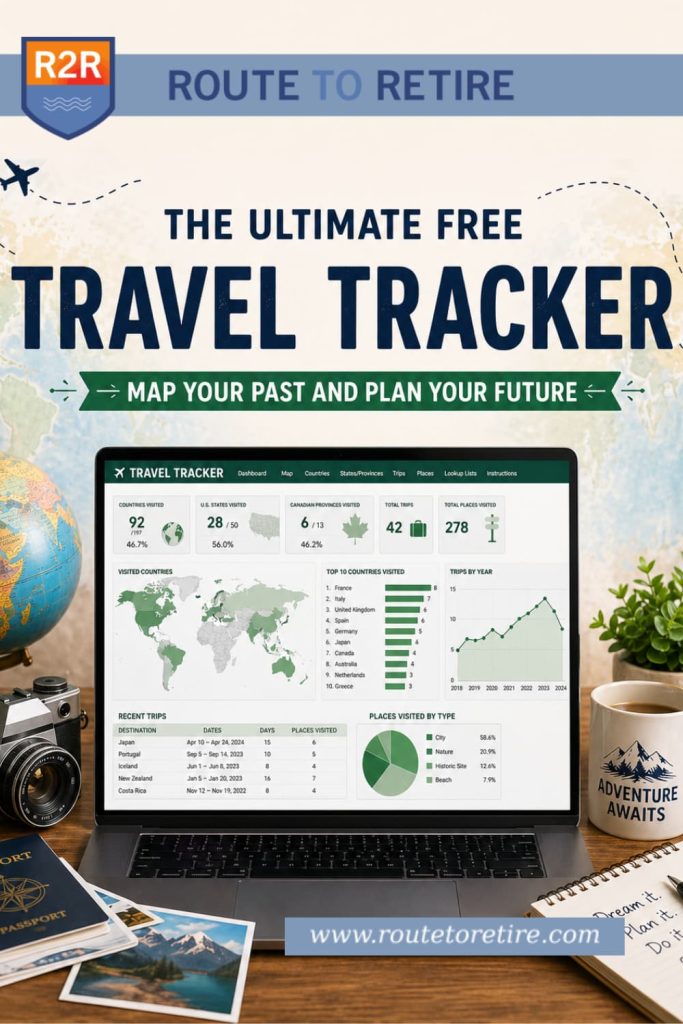
There’s nothing quite like returning from a big trip, finally unpacking your suitcases, and reflecting on the memories you just made. Whether it’s looking back at photos from a recent family getaway to Hawaii or plotting out the itinerary for an upcoming cruise, reliving those adventures is half the fun of traveling in the first place.
But as your list of destinations grows, remembering exactly where you stayed, what you did, and when you were there starts to get a little fuzzy. I wanted a highly visual way to see our globe-trotting history at a glance, without having to dig through old photo albums or search through years of emails just to find a hotel name.
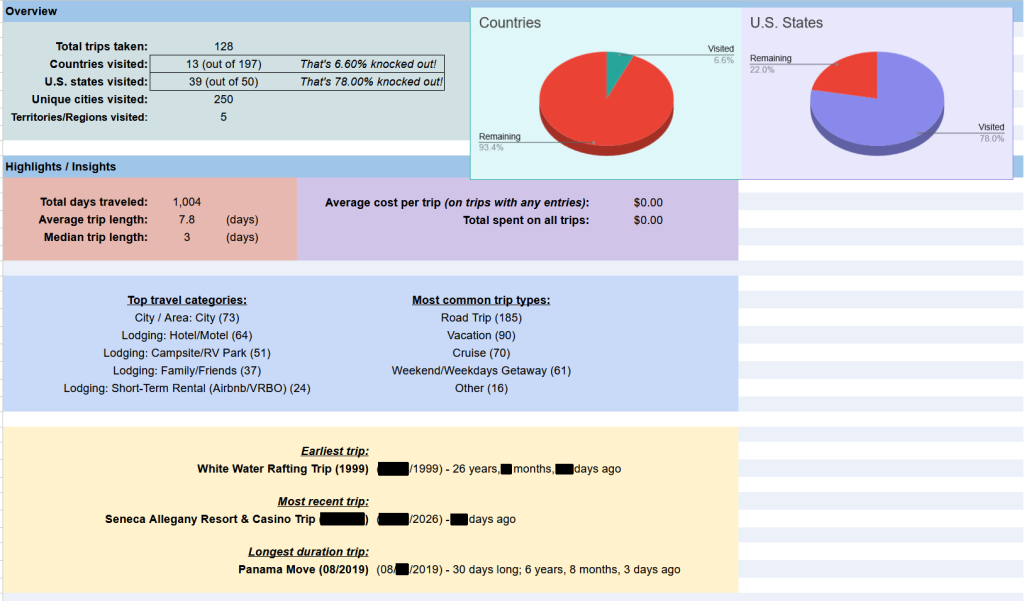
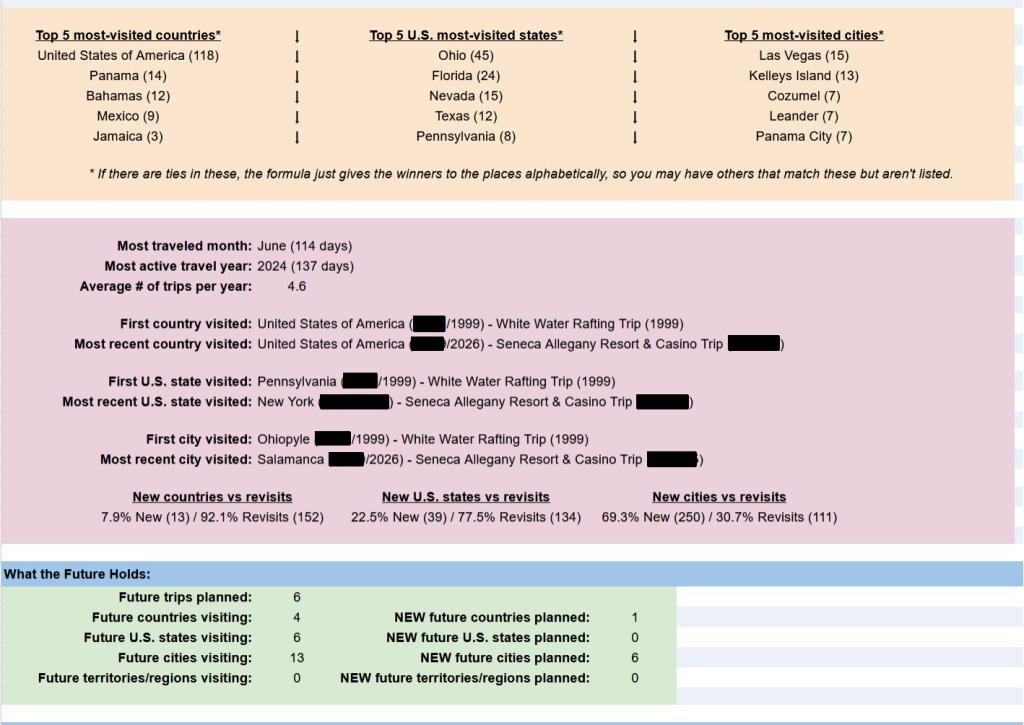
Plus, how cool would it be to see fun things like how many trips you’ve taken, which U.S. states and countries you’ve been to, which ones remain, the year you’ve traveled the most, and other cool stats?
I started searching for a dedicated travel tracker to map out our past adventures, as well as our future plans. I tried a lot of them. The problem was that almost every app I tested was either far too basic, required a monthly subscription (some were crazy expensive), or trapped all my personal travel history on their private servers.
Entering all this trip information takes some time. I didn’t want my data locked away behind a paywall, and I definitely didn’t want to lose years of trip logs if a startup app suddenly went out of business. I wanted a tool where my data was truly mine.
So, I decided to build my own. After some serious tweaking, I’ve put together a tool that gives you the absolute privacy and ownership of a personal spreadsheet, combined with the beautiful, interactive mapping of a professional visual dashboard.
I think you’re really gonna like this!
The Problem with Travel Apps
If you’ve been reading my blog for a while, you know that I recently got into self-hosting. If you’re not familiar, that just means running your own apps or services on hardware you control instead of relying on a company’s servers. I’ve moved us from Google Drive, Google Photos, etc. to things like Nextcloud and Immich that I run here at home. It’s basically moving “the cloud” to my place instead of at big tech.
You can read more about that in my post, The Self-Hosting Spark: How Ditching Google Reignited My Tech Obsession.
The point is that when you’re self-hosting, there’s a lot of fascinating (and in many cases, free) software you find that makes you think, “Hmm, this would be pretty cool to have in place.”
Well, one of those I found was a travel tracker, and it seemed like a really fun project to get set up, so I did! The problem was that it turned out to be a little buggy as it was still in early development. Sometimes things didn’t work right, and then it turned out to be difficult to fix the problems that it caused. It was also a little clumsy to enter your travel data on where you’ve been and what you’ve done.
I bailed on it. I then tried some of the most popular travel tracker apps out there on the internet. I’m not going to name names, but they all just sort of fell flat. Some were pretty simple and limited in what you could enter, some were pricey with monthly subscription fees, and most had no way for you to export your data.
For me, that last one is critical. If I’m going to spend a lot of time entering my data into an app, I want to know that I can get it out whenever I want. Whether you decide to go to a different app or the company goes out of business, it’s important to be able to get your data out of there.
The Coloring the Globe Travel Tracker… Where Your Data is Yours
So… I decided to make my own travel tracker. More importantly, I decided to do it as a spreadsheet so the data entry would be easy and, well, my data would be mine.
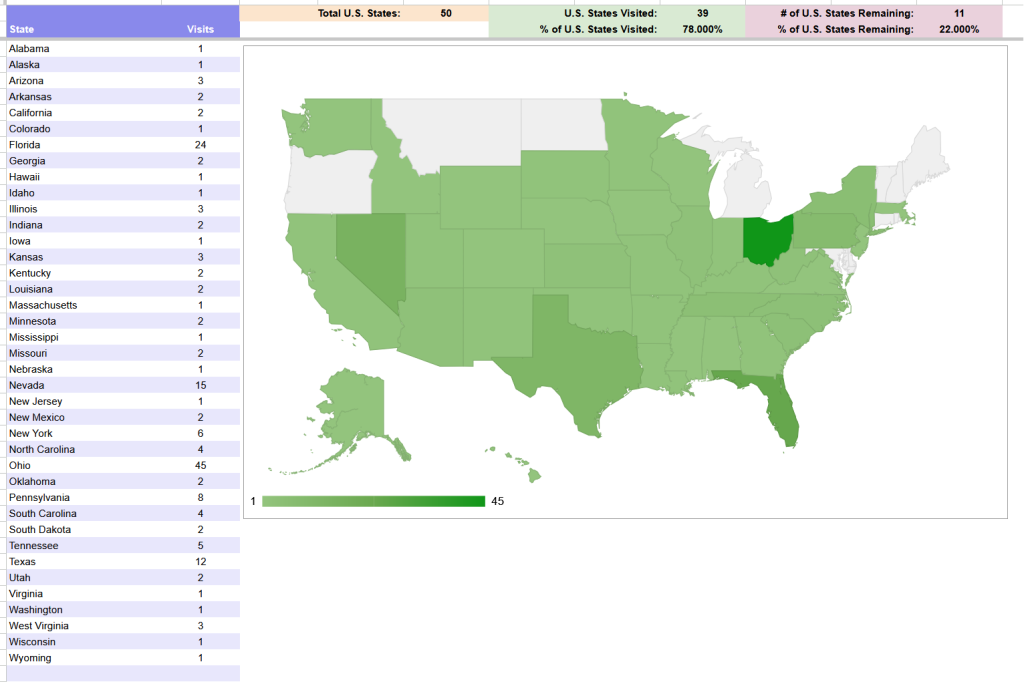
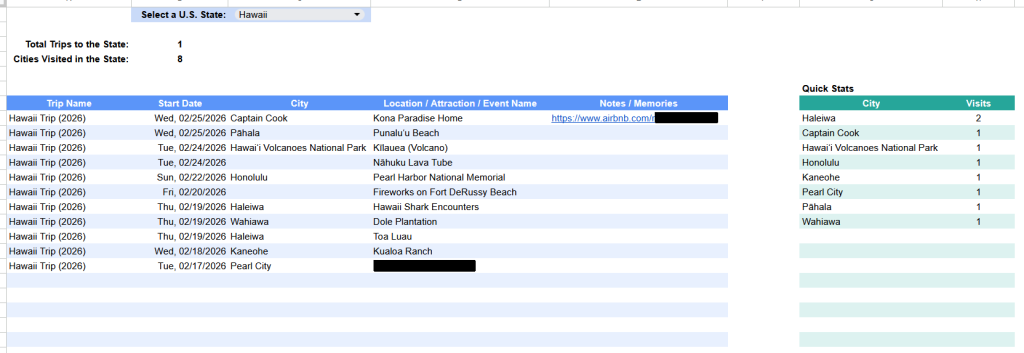
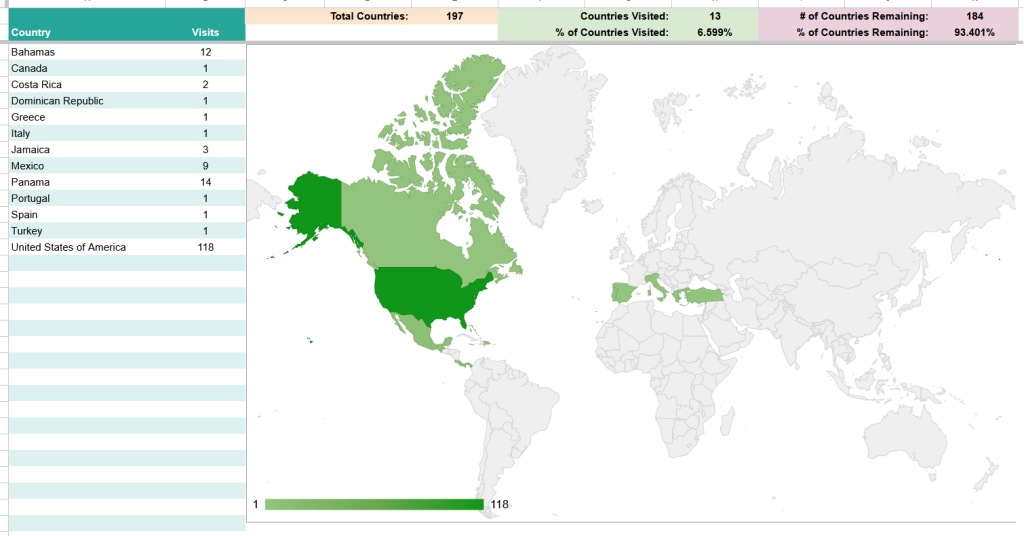
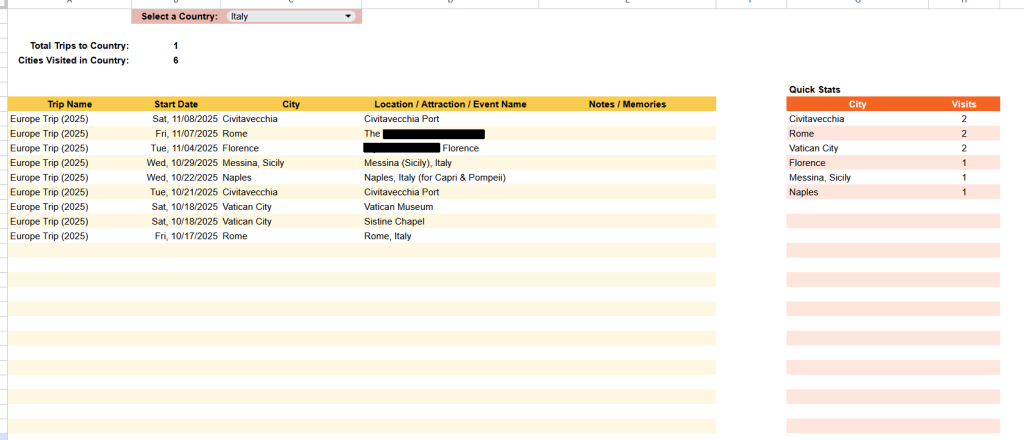
It started out simple, but here’s the thing – once your info about your trips gets entered, the amount that can be done with it is amazing! Suddenly, I had built an entire summary and stats page with some awesome info about the trips taken. I had maps showing where I’d been and where I hadn’t. I had deep dives to be able to choose a state/country and see all the places I had been to while there.
It just kept getting better and better. And the best part was that everything was based on the data that was entered on a single Trips sheet, which I’ll discuss after the reports. There’s nothing else that needs to be done to see the results in all the reports and maps… super easy and cool!
So, I’d like to introduce you to the Coloring the Globe Travel Tracker!
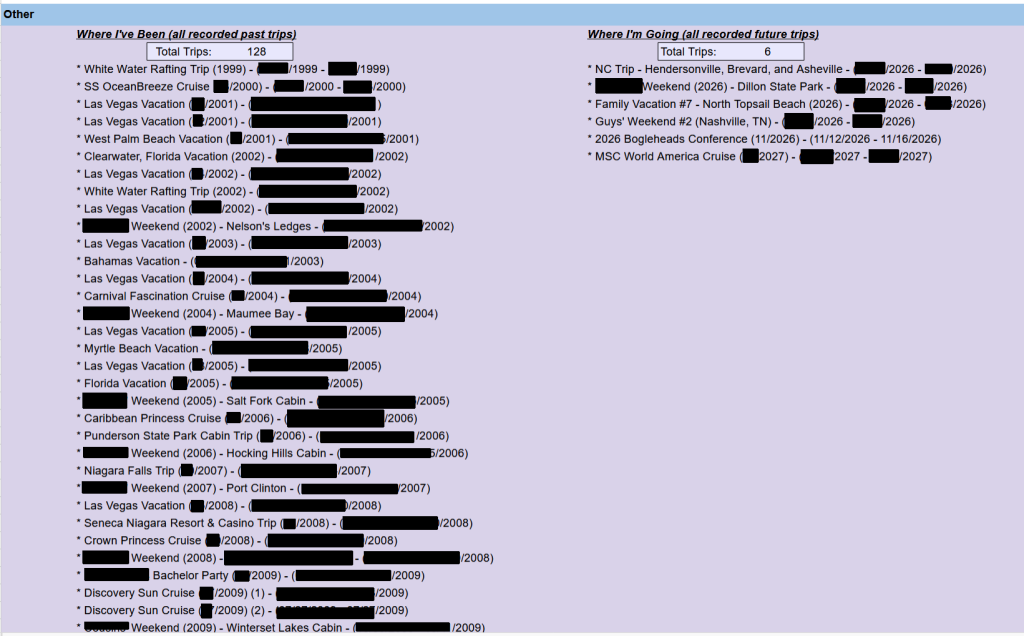
Here are some of the reports you’ll see as you enter your past (and future) travels into the travel tracker. I’m using my personal trip data for most of these examples, so some things are blacked out for privacy. You can click on the images to enlarge them.
Summary and Stats
U.S. States Visited Map
U.S. State Deep Dive
Countries Visited Map
Country Deep Dive
Places Explored and Remaining
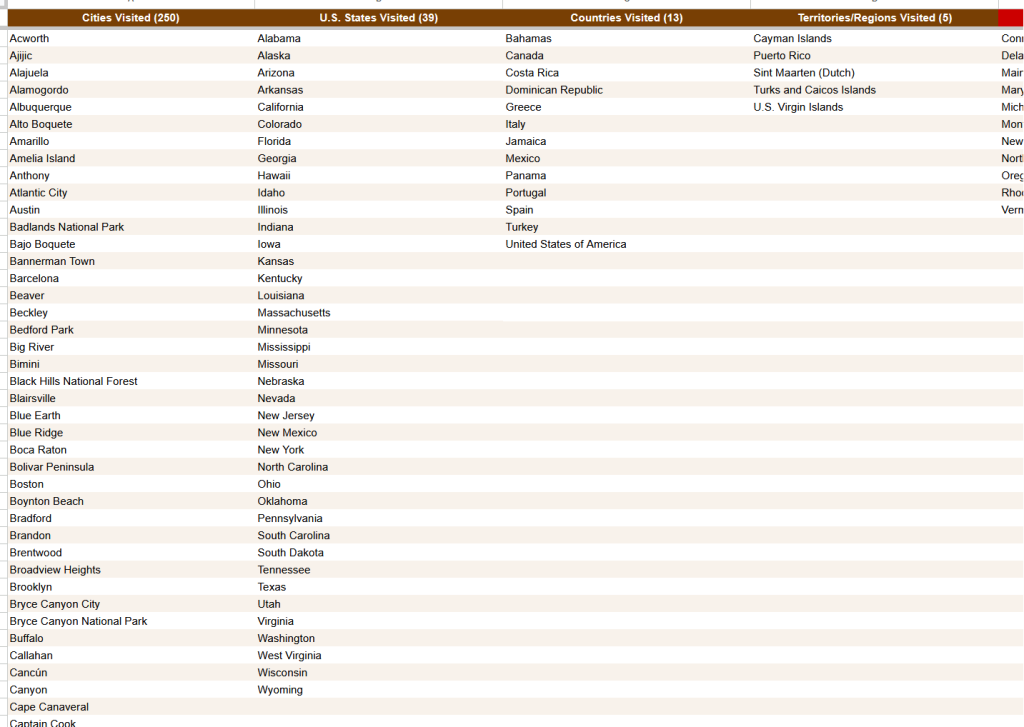
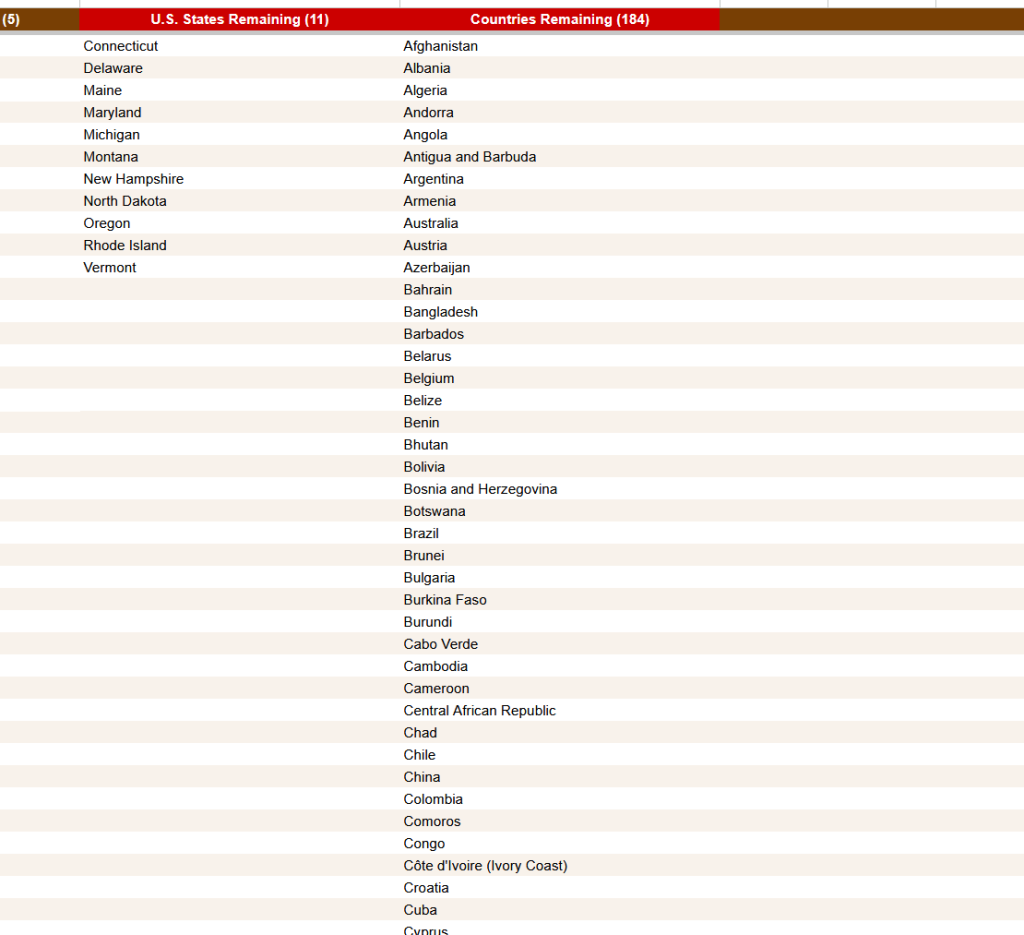
Places Explored Hierarchy
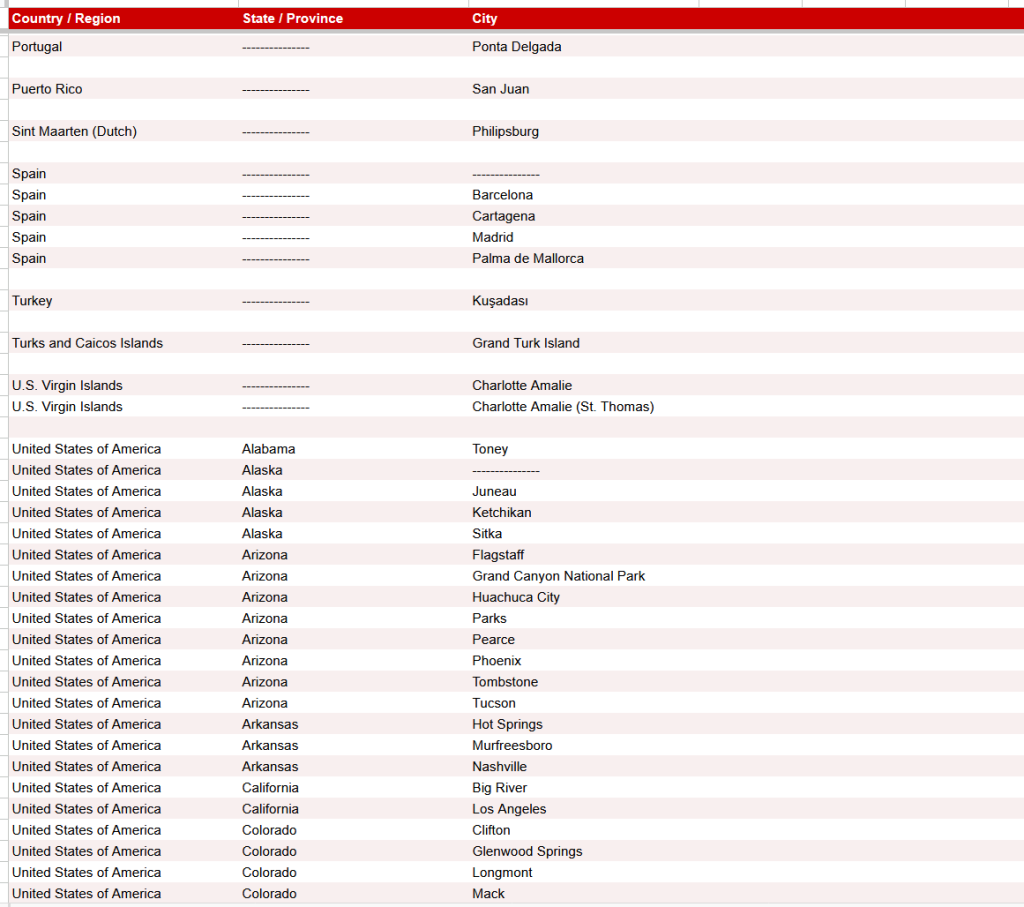
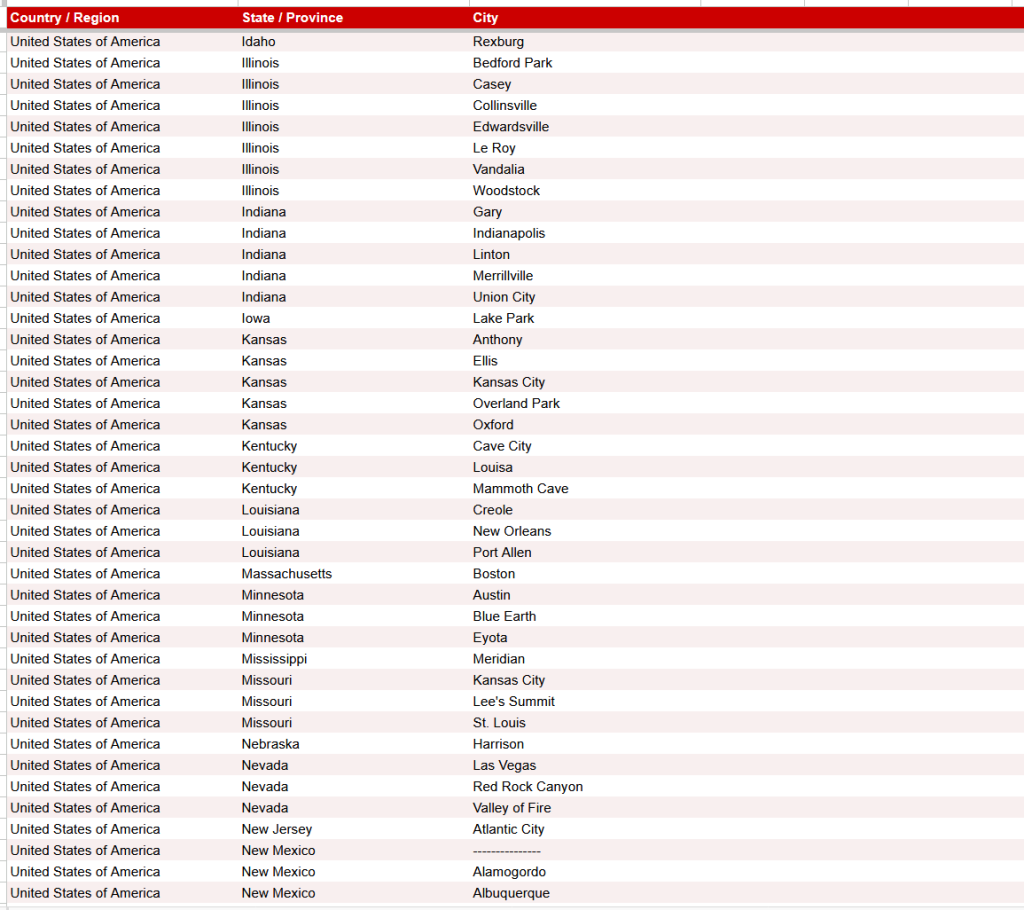
Pretty cool, right?
The Magic Is in the Simplicity
One of my favorite parts of the Coloring the Globe Travel Tracker is that all you do is enter your past and future travel information on one single tab of the spreadsheet… the Trips sheet.
I’m not going to go into all the details here because the instructions on the spreadsheet will walk you through it. However, the gist is that you can be as broad or as detailed as you want. For instance, you can just enter in one row to define your whole trip to a U.S. state or country. Or you can get granular and have multiple rows for a trip… maybe putting in an entry for the hotel, an entry for the landmarks or sites, a cool restaurant you don’t want to forget, or whatever made your travel memorable.
And that’s it. Simple and to the point. And being a spreadsheet, it will hopefully make it a little quicker to add in your past trips versus trying to do it in a form or some other means.
Here’s a quick look at some sample data on this sheet…
The Trips Sheet
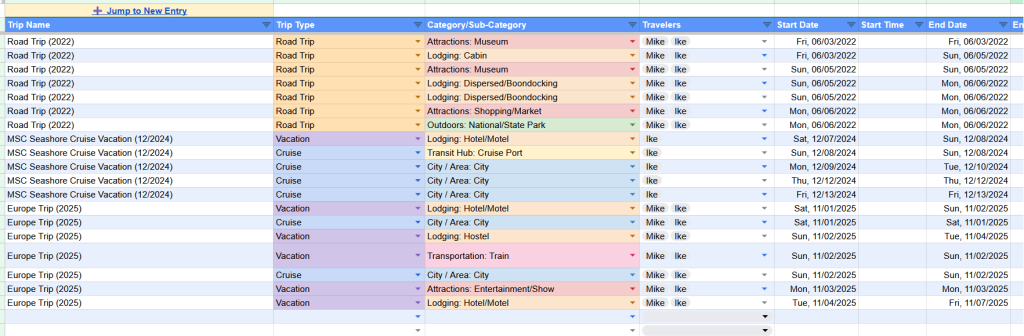
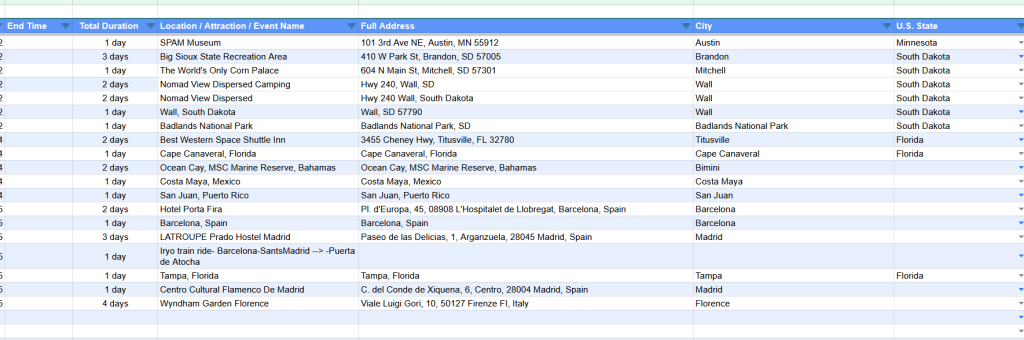
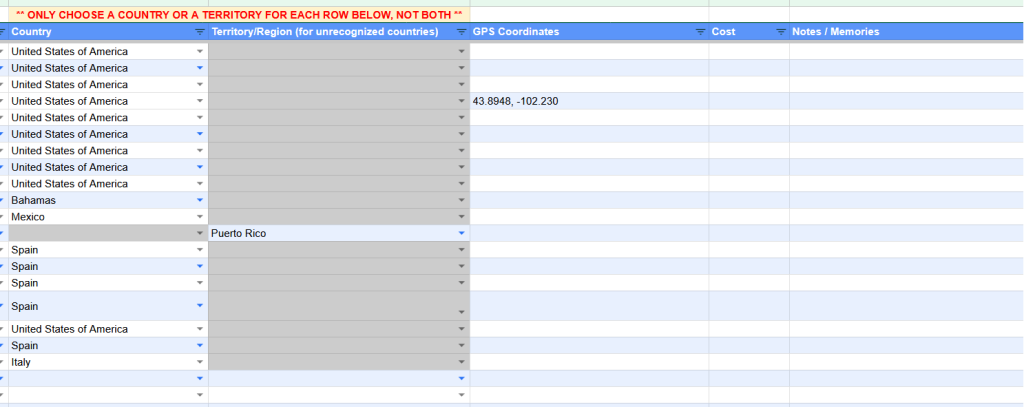
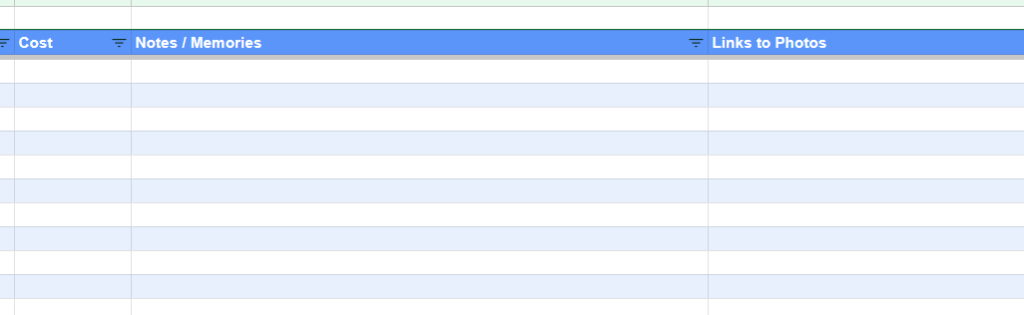
You’ll notice that there’s a “Links to Photos” column. After some internal debate with myself, I decided that this tracker shouldn’t be something to hold photos. Almost everyone already has a place designed to store their photos: Google Photos, iCloud, Amazon Photos, OneDrive, etc. So let’s let them do what they do best and keep it from overcomplicating this travel tracker. Instead, if you do want photos linked to the Coloring the Globe Travel Tracker, just create a link to an album of photos or individual photos in your photos storage app and put it in this column for the relevant trip entry.
The beauty of how this travel tracker evolved became one of its greatest strengths. Because this has all been added as rows in a structured spreadsheet, it’s basically become a sort of database that makes it easy to extract useful information from.
Moreover, that provides the capability for something else that’s pretty awesome…
Optionally Connecting Google Data Studio to the Travel Tracker
I stumbled upon this by accident while chatting with my AI friends at one point, as we were troubleshooting an issue on the Coloring the Globe Travel Tracker.
Google has a product for Data Studio. It used to be called Data Studio, then it became Looker Studio, and then just recently, they renamed it back to Data Studio. Who knew?
I had never heard of this before, but Google Data Studio is a sort of freemium product with some paid options as well as a free version. We only need the free version for this.
With just a few steps, you can connect the Data Studio template to your Coloring the Globe Travel Tracker Google Sheets spreadsheet. Once done, you can do more filtering, searching, and mapping that couldn’t easily be done in the spreadsheet alone.
Plus, this is a website that you can easily access and even share with your friends or family if you want.
Google Data Studio
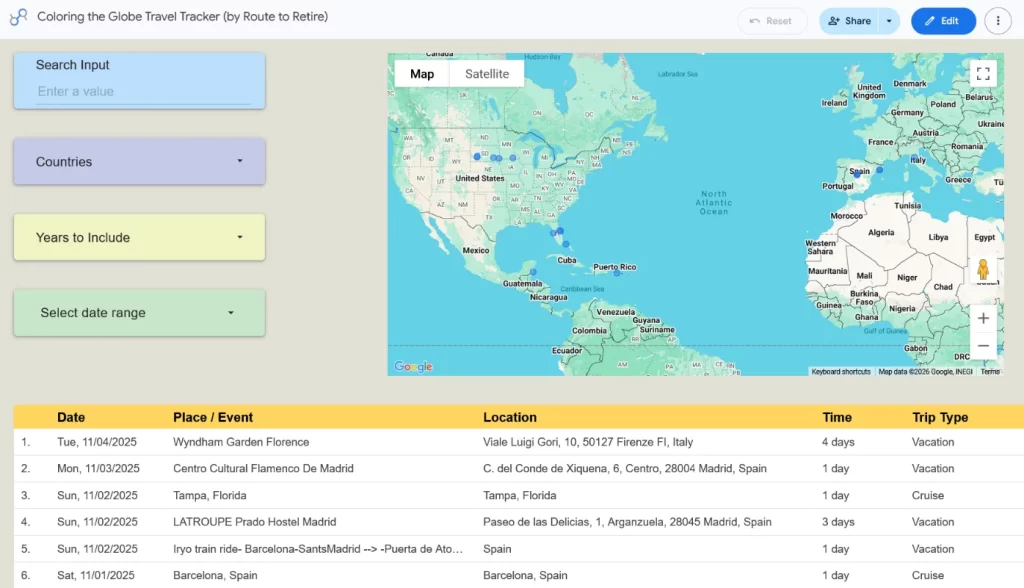
Bear in mind that I have the bottom of the screenshots clipped on these. You can scroll through the list of travel entries and then click next or previous in the list when you have several pages of results.
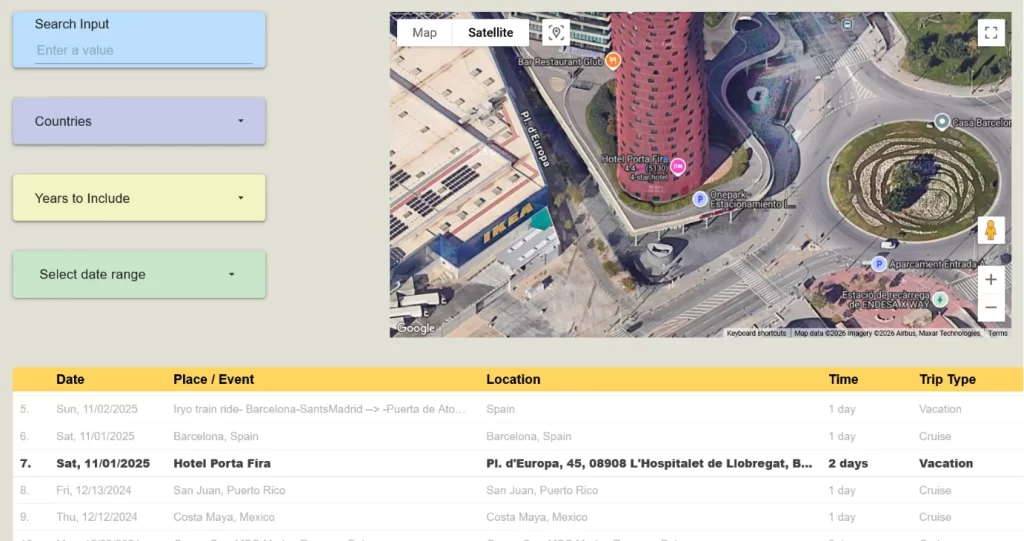
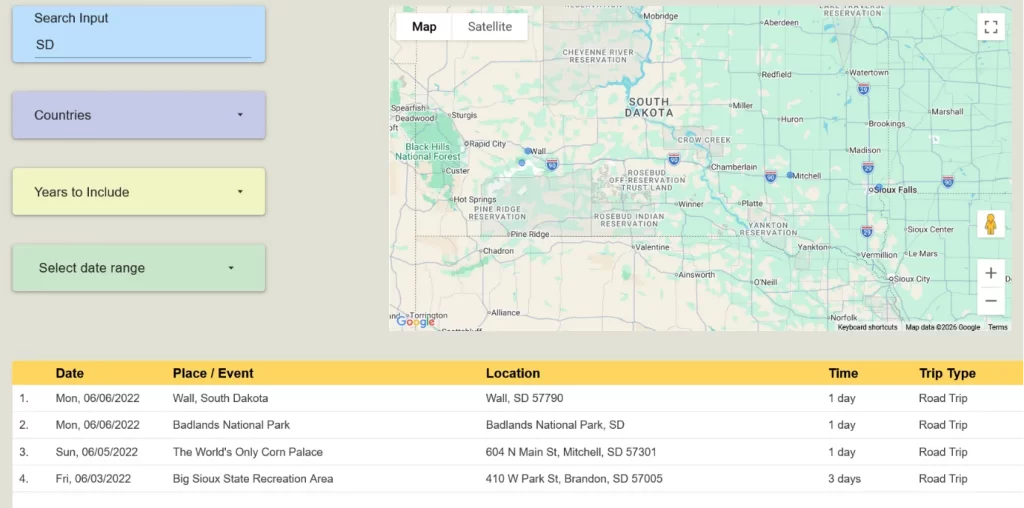
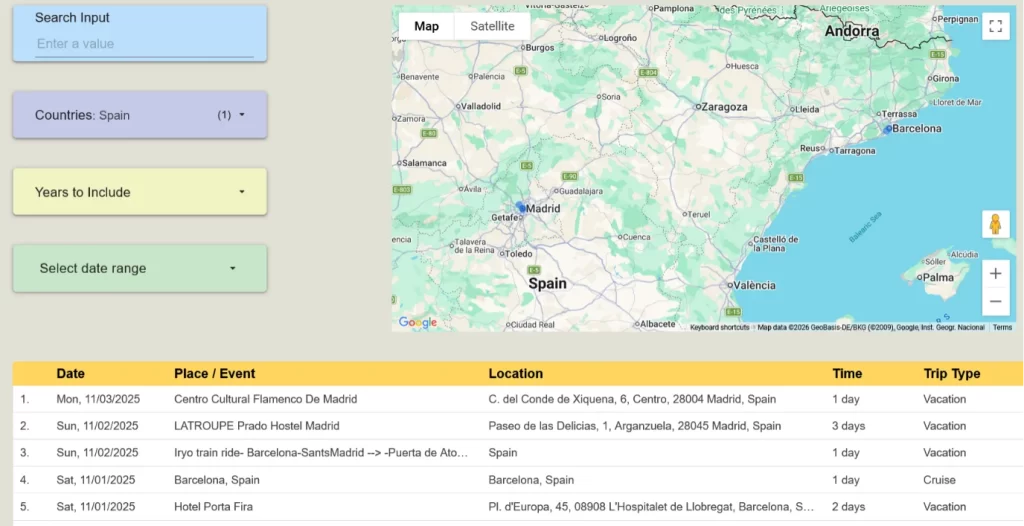
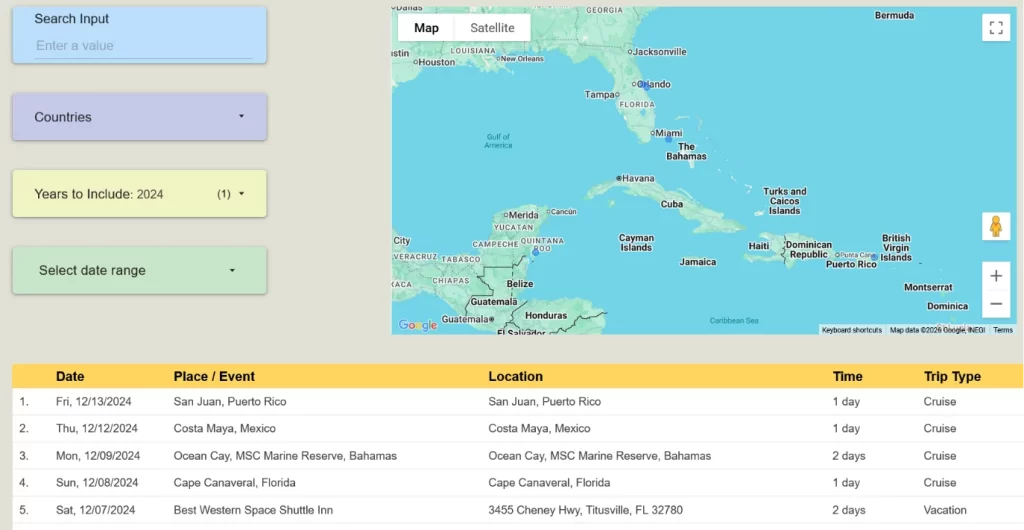
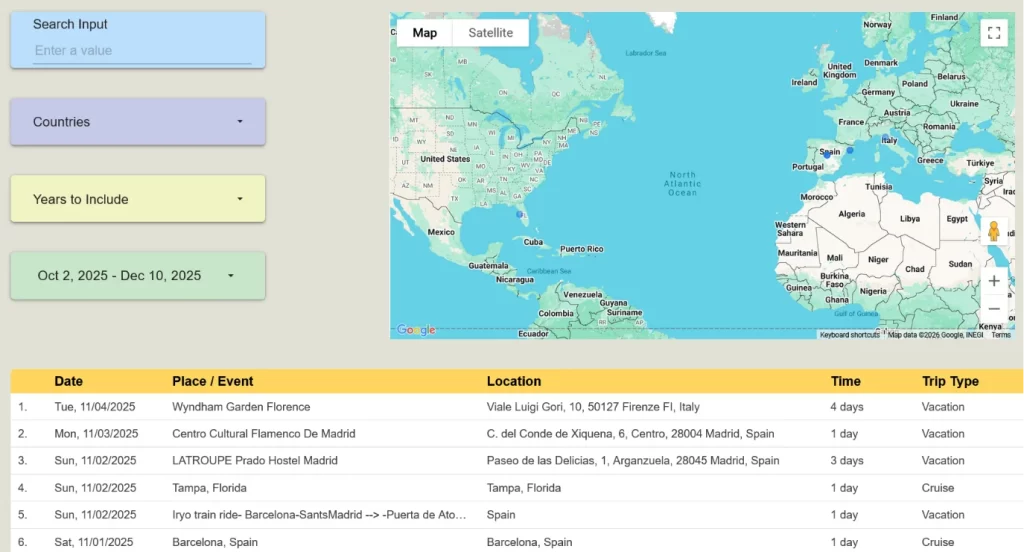
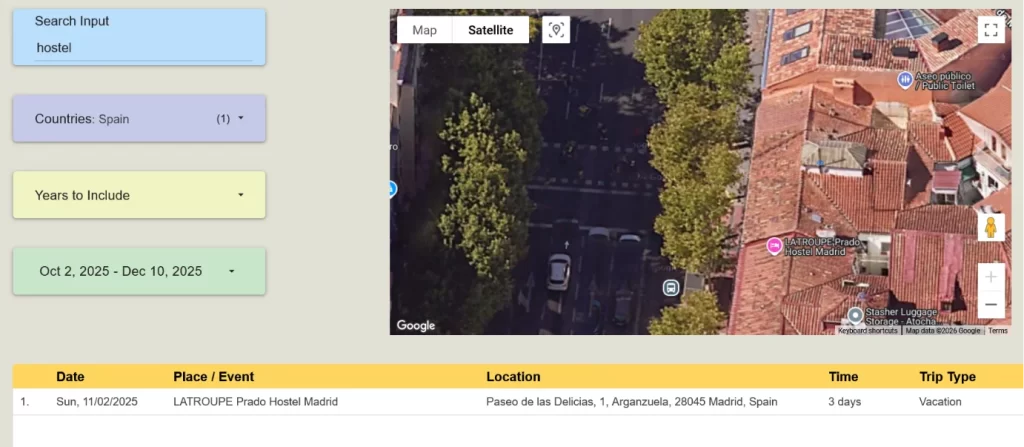
Bear in mind that this is completely optional. You do not need to use Google Data Studio to use the Coloring the Globe Travel Tracker spreadsheet. This just adds additional functionality if you’re interested.
The Hookup on This Awesome Travel Tracker
I’m very proud of how the Coloring the Globe Travel Tracker turned out. I’m loving using it to track everywhere we’ve been and see all the cool stats. The optional integration with Google Data Studio brings things to life even more. I couldn’t be happier with how this turned out!
I really had to think about the whole idea of how to get it out there to others, though. I know that it’s something a lot of people will enjoy as much as I do. So I realized the value and started to think that maybe I could sell it. I think I could actually make a decent buck on it, considering everything it is.
But the more I thought about it, I finally decided that I didn’t want to go down that path. If this could be something my readers could enjoy as much as I do, then it’s worth sharing without charging for it.
So yes, I’m actually giving this away 100% free. If you’re on my mailing list already, you already have the link to it. If not, what the heck – why aren’t you on the list? I think it’s time to fix that.
Sign up here to get the Coloring the Globe Travel Tracker and the Google Data Studio template sent straight to your inbox…
Don’t worry, I don’t share the email list with anyone and only send an email maybe once or twice a month when I’ve got some good info to share. And, of course, if you don’t find the content valuable, you can unsubscribe anytime (though I’ll be very sad if you do!).
My only ask of you is that if you enjoy travel as much as I do, consider signing up for a completely free Travel Freely account with my link if you decide to go down the amazing path of credit card travel rewards.
Travel Freely is a free and awesome service that helps you do things like:
▶ Track your credit cards (for yourself and even for your partner!)
▶ Track and email you reminders of upcoming deadlines for earning sign-up bonuses
▶ Email you reminders of upcoming annual fees (with advice on how to cancel or product change if desired)
▶ Present the awesome “Card Genie” to help you determine the best next card for your needs
▶ Keep track of all the finicky details like Chase’s 5/24 rule, so you know when it’s good to apply for your next card
▶ And a bunch of other great features!!
Bear in mind, you never input actual credit card numbers or other personal information in Travel Freely. You’re just putting in the type of card each is and when you applied for it. That’s essentially all that’s needed for this, which is great on the privacy front.
I don’t recommend products or services to my readers that I don’t use myself or just think are really fantastic. This is one service that checks both boxes – I use it religiously myself because of how great it is. So, if that sounds useful to you, consider signing up for Travel Freely here. Please note that this is an affiliate link that’s of no cost to you.
And if you’re new to credit card travel rewards in general, you don’t know what you’re missing. We’ve easily saved tens of thousands of dollars on travel and have been able to do things we never imagined we’d do. Traveling the world has become much easier when the credit card companies help subsidize the travel for you! Check out my Travel Rewards page for more info on how this all works.
And that’s all I’ve got today. Hopefully, you enjoy my Coloring the Globe Travel Tracker and possibly the Data Studio template as much as I do. It’s a fun project, and I’m happy to share it with you!
Plan well, take action, and live your best life!
Thanks for reading!!
— Jim
Las Vegas – 15 times? Somehow, that stat surprised me even more than your amazing “self-developed Travel App.” Impressive work, Jim, and very generous that you’re giving away all that work for free! Well done.
Haha, before our daughter was born, we liked our small trips there and spending time sitting at the video poker machines. Plus, my uncle lives out there so we can pretend it wasn’t all about the gambling! 😉
And thanks for the kind words on the travel tracker… why not give back to the community that’s helped me so much over the years, right?
Funny, I didn’t catch that.
Thank you! I’m going to try this out — I think I’m going to love it!
I did have to hunt for your hidden “Trip Type” tab to add “nomading,” though.
Great job. It looks like this was built over a long time to fill all our data nerd needs.
Oh, good call, Bonnie! I didn’t want them to confuse less technical folks by leaving them out there, but I probably should have mentioned that those sheets are hidden for those wanting to customize. I’ll update that in the instructions once I’m back from vacation. Thanks for the heads up and I hope it’s worthwhile for you! 🙂
I think your instructions are just fine as is. I was just trying to be funny. Those who are used to working in .xls will know how to change the list and for those who are not it might make the instructions too complicated. I think you made a good call on leaving it out You have plenty of options on the list, “Nomading” is probably not one many will be using, lol.
Haha, love it, Bonnie!
Great share…love this.
Thanks, Will!